Preview
IFC+SG · Excel Mapping File
Download, read, and use the IFC+SG Mapping File
The IFC+SG Excel Mapping File defines the IFC entities, SGPsets, properties, and controlled values required for IFC+SG submission.
IFC Entities
SGPsets
Properties
Controlled Values
IFC
Entities
IfcWall, IfcSlab, IfcDoor, IfcSpace
Singapore
SGPsets
Mandatory Singapore regulatory properties
Data
Properties
Property names and parameter mapping
Validation
Values
Controlled values and submission checks
Industry Mapping
IFC+SG
Singapore BIM Data Structure
Step 1 · Download
Download the IFC+SG Excel Mapping File
Use the latest mapping file as the source of reference for IFC+SG data requirements.
- IFC entities for each building element
- Mandatory SGPsets for regulatory requirements
- Relevant standard IFC Psets where applicable
- Required properties and data fields to be populated
Join the mailing list for update notifications.
Subscribe here.
Step 2 · Read
How to read the mapping file
Understand what each column means and how it helps you prepare your IFC+SG-ready BIM model.
- Start with the CX Pilot Mapping tab
- Check the IFC entity and subtype
- Read the required SGPsets
- Review the controlled values and parameters
How to read the IFC+SG Excel Mapping File
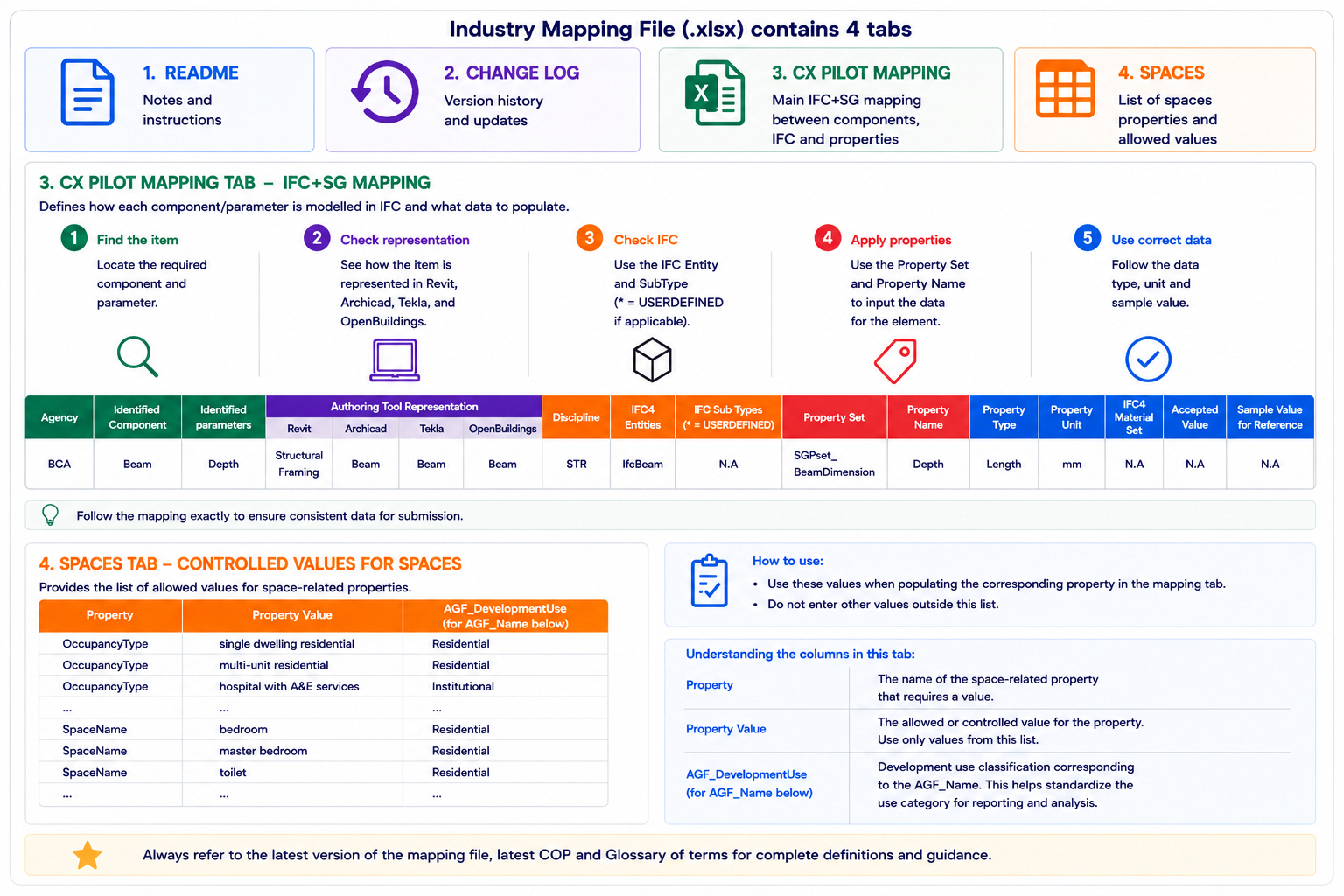
How to use the IFC+SG Excel Mapping File
Step 3 · Use
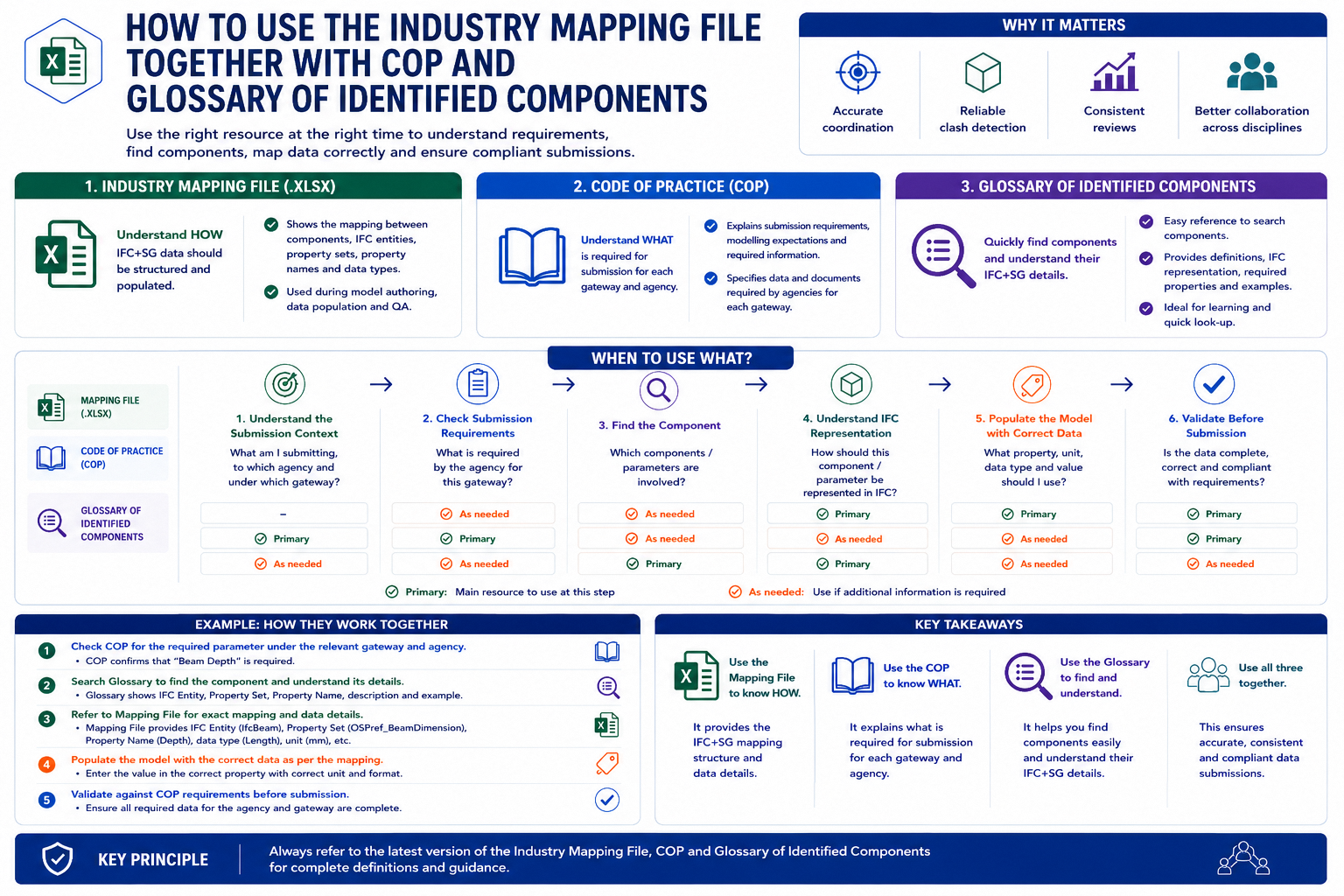
Use the Right Resource Together
Use the IFC+SG Excel Mapping File together with the CORENET X Code of Practice and Glossary of Identified Components. Each resource answers a different question when you prepare model data for submission.
- COP: Understand what is required for the submission stage and agency review.
- Glossary: Find the component definition and clarify how it should be interpreted.
- Mapping File: Identify the IFC entity, subtype, Pset or SGPset, property name, and required value.
- Together: Use all three to check that the model data is complete before IFC export.