Login with Singpass
Access to CORENET X Submission Portal is autheticated through Singpass - Singapore's national digital identity platform.
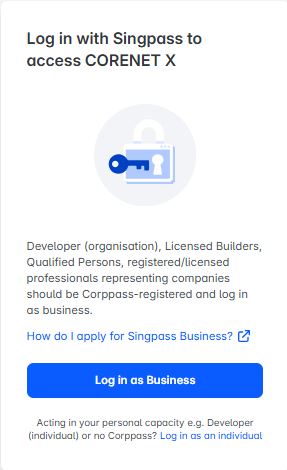
There are two login options available:
- Singpass for Business — for users acting as representatives of an organisation (company, firm, or UEN-registered entity)
- Singpass for Individual — for users acting in a personal or individual capacity
Find out more below on which login option you should use.
Singpass for Business
Singpass for Business is the preferred login option for users acting as representatives of an organisation (company, firm or UEN-registered entity).
By logging in as a representative of your organisation, your company details (e.g. firm name, address) will be auto-populated in your project member details and will be used in agencies' response letters.
Select a role below to find out if they should log in using Singpass for Business.
ⓘ Pre-requisites for Singpass for Business
- Your organisation must have a Corppass account (registered with a Unique Entity Number, UEN). Find out how to set up Corppass at https://www.corppass.gov.sg/corppass/common/findoutmore.
- Your company's Corppass Administrator must have granted you access to the e-service named 'CORENET X Industry Portal'. If not, contact your Corppass Administrator. More information at https://www.corppass.gov.sg/portal.
⚠ Important Reminder
If you are registered under multiple organisations' Corppass, ensure you select the correct UEN organisation when logging in with Singpass for Business. Selecting the wrong entity may result in incorrect firm details being used in your project and agencies' response letters. If you have selected the wrong entity by accident, please refer to the Manage Accounts section below on how to switch organisations before you make any submissions for the project.
Singpass for Individual
Singpass for Individual should only be used by users acting in a personal or individual capacity.
Select a role below to find out if they should log in using Singpass for Individual.
Manage Accounts
Users can manage accounts tied to their projects, to toggle between Singpass for Individual and Singpass for Business, or between different Singpass for Business UENs.
This applies to all roles except Developer (Organisation), Licensed Builder, and Licensed Specialist Builder, and only where the user is not involved in any submission in the project.
Steps
- Under “My projects”, click on the top right icon and click on “Manage accounts”.
- Users will be able to manage switch their account type (Singpass as individual or Singpass as Business, or choose which Singpass for Business to use) for each project
- Users can select the available Singpass account for their projects accordingly.
⚠ Important Reminder
You can only change the account for projects where you are not involved in any submission.